
Coordinate System Converter2.0 - App Store
You'll be able to see results in few seconds.
Publisher Description
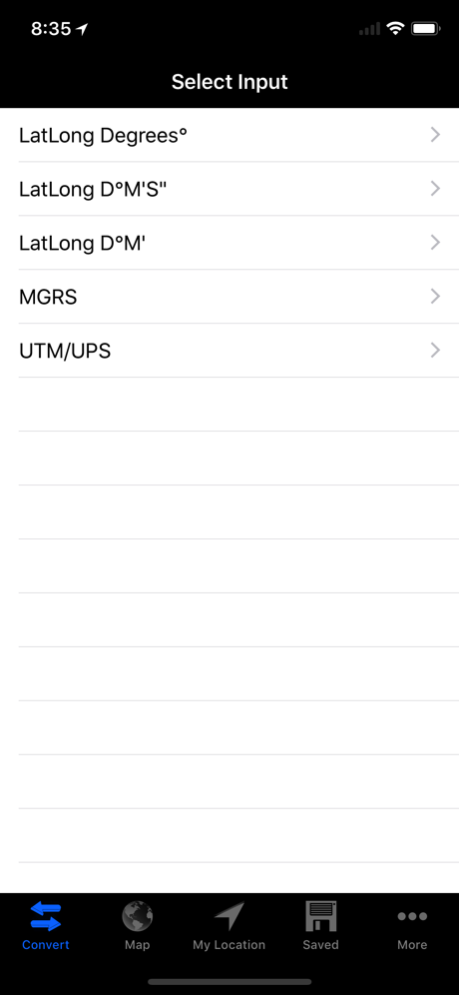
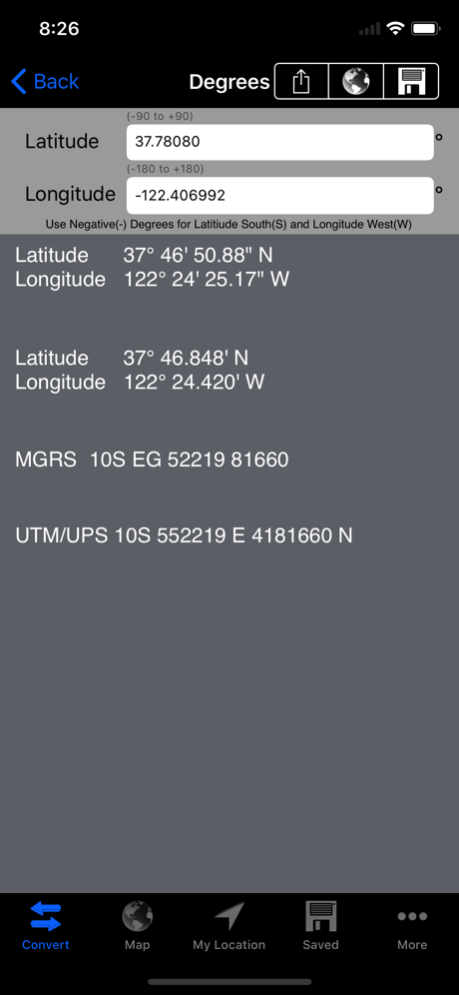

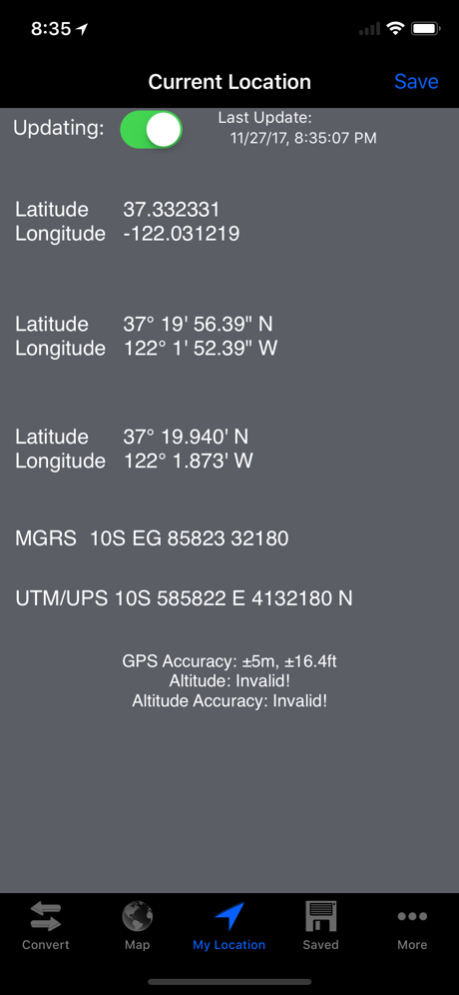
Now has the ability to switch between Datums!
Coordinate System Converter is a fully featured app where you can convert, view, and save your geographic coordinates to/from different types of coordinate systems. It contains more functionality than any other Coordinate Converter out there!
Manually convert to/from:
-UPS/UTM using WGS 84
-MGRS using WGS 84
-Latitude Longitude Decimal Degrees
-Latitude Longitude Degrees Minutes Seconds (D°M'S")
-Latitude Longitude Degrees Minutes (D°M')
Fully functional map (internet connection required for map content)
-Track your current location
-Track your current heading
-Get coordinates from dragging and dropping pins
-Save dropped pins for later viewing
-View all saved coordinates
-View manually entered coordinates
Get your current location in all supported formats
Get your current heading
Save coordinates for later viewing
View Coordinates in the Apple Maps app or the Google Maps app.
Switch between the following Datums:
-WGS84
-NAD83
-GRS80
-WGS72
-Australian 1965
-Krasovsky 1940
-North American 1927
-International 1924
-Hayford 1909
-Clarke 1880
-Clarke 1866
-Airy 1830
-Bessel 1841
-Everest 1830
Share/save coordinates via Notes, Messaging, E-mail, Twitter, and other App extensions.
Nov 28, 2017
Version 2.0
This app has been updated by Apple to display the Apple Watch app icon.
A HUGE UPDATE!
Bug Fixes.
Updated the app icon and screen shots.
Updated the (.) and (-) keyboard buttons.
Added a "More" page where you can:
-Email questions and feedback
-Leave a rating on the App Store
-Share the app
-Change Datums!
If you like this app please rate it on the app store!
Leave us your feedback at info@isondevelopments.com.
About Coordinate System Converter
The company that develops Coordinate System Converter is Ison Developments. The latest version released by its developer is 2.0.
To install Coordinate System Converter on your iOS device, just click the green Continue To App button above to start the installation process. The app is listed on our website since 2017-11-28 and was downloaded 0 times. We have already checked if the download link is safe, however for your own protection we recommend that you scan the downloaded app with your antivirus. Your antivirus may detect the Coordinate System Converter as malware if the download link is broken.
How to install Coordinate System Converter on your iOS device:
- Click on the Continue To App button on our website. This will redirect you to the App Store.
- Once the Coordinate System Converter is shown in the iTunes listing of your iOS device, you can start its download and installation. Tap on the GET button to the right of the app to start downloading it.
- If you are not logged-in the iOS appstore app, you'll be prompted for your your Apple ID and/or password.
- After Coordinate System Converter is downloaded, you'll see an INSTALL button to the right. Tap on it to start the actual installation of the iOS app.
- Once installation is finished you can tap on the OPEN button to start it. Its icon will also be added to your device home screen.
Program Details
System requirements
Download information
Pricing
Version History
version 2.0
posted on 2017-11-28
Nov 28, 2017
Version 2.0
This app has been updated by Apple to display the Apple Watch app icon.
A HUGE UPDATE!
Bug Fixes.
Updated the app icon and screen shots.
Updated the (.) and (-) keyboard buttons.
Added a "More" page where you can:
-Email questions and feedback
-Leave a rating on the App Store
-Share the app
-Change Datums!
If you like this app please rate it on the app store!
Leave us your feedback at info@isondevelopments.com.
version 1.4
posted on 2012-05-31
Disclaimer
Official App Store Link
We do not host Coordinate System Converter on our servers. We did not scan it for viruses, adware, spyware or other type of malware. This app is hosted by Apple and passed their terms and conditions to be listed there. We recommend caution when installing it.
The App Store link for Coordinate System Converter is provided to you by apps112.com without any warranties, representations or guarantees of any kind, so access it at your own risk.
If you have questions regarding this particular app contact the publisher directly. For questions about the functionalities of apps112.com contact us.
